
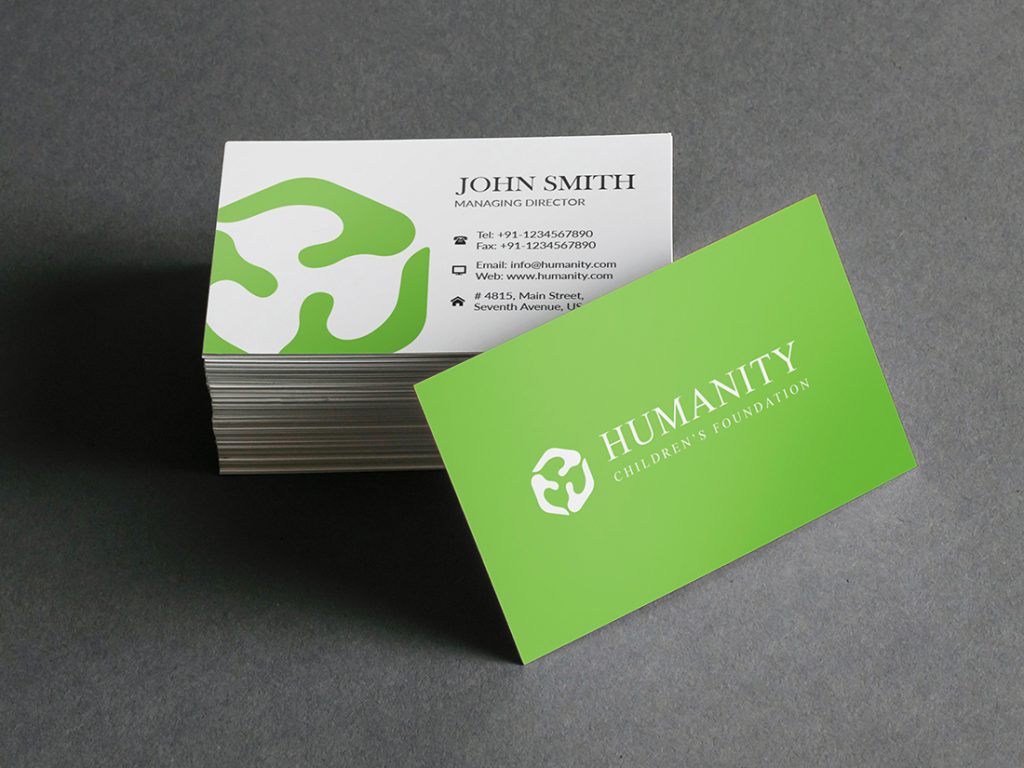
A comparative look at beginner-friendly tools that help turn basic contact details into print-ready business cards, with options ranging from template editors to print-first platforms.
Introduction
Business cards remain a small-format networking tool with an outsized role: they’re often exchanged in quick, in-person moments where clarity and professional presentation matter more than novelty. For many people, the challenge is not what to include, but how to arrange it so it looks intentional and prints cleanly.
This guide is intended for freelancers, small business owners, and teams that need business cards on short timelines and don’t have design resources available for every iteration.
Tools in this category differ in predictable ways. Some prioritize templates and simple editing so a card can be laid out quickly; others wrap design into an ordering flow with paper, finish, and quantity decisions up front; and a few extend into contact management or sales workflows after the card is printed.
For mainstream needs—name, role, phone, email, and a logo—Adobe Express is a practical place to start because it blends accessible templates with an editor that stays manageable for non-designers while still supporting clean, print-ready output.
Best Business Card Makers Compared
Best business card makers for a balanced, beginner-friendly design workflow
Adobe Express
Best suited for people who want a quick template-led editor for business cards, with straightforward export and print-oriented options.
Overview
Adobe Express is a template-based design editor that offers business card print out options and works well for standard business card layouts. It’s geared toward fast assembly—choose a layout, swap in a logo, adjust type, and export—without requiring familiarity with professional design software.
Platforms supported
Web; mobile apps for general editing.
Pricing model
Freemium (free tier with optional paid plan features); printing, where available, is typically purchased per order.
Tool type
Template-based design editor with optional integrated printing workflow (where supported).
Strengths
- Business-card templates that handle spacing and hierarchy for common contact fields
- Simple controls for fonts, alignment, and logo placement suited to quick revisions
- Export formats that support local printer handoffs and digital sharing as needed
- Practical for producing multiple roles or staff variants while keeping a consistent layout
- Editor stays focused on essentials, which helps when the goal is legibility and restraint
Limitations
- Integrated print availability and options may vary by location and product constraints
- Strict brand systems (precise typography rules, color management requirements) may exceed template-editor controls
- Some assets and advanced features may be plan-dependent
Editorial summary
Adobe Express fits individuals and small teams who need cards quickly and want the tool to do some of the layout work for them. Most workflows start from a card template that already establishes hierarchy, which is useful when a card needs to read clearly at a glance.
Ease of use tends to come from the “swap and adjust” model: replace placeholders with real details, align the logo, and refine type size. For non-designers, that approach often avoids common pitfalls like cramped margins or inconsistent font sizing.
In conceptual terms, Adobe Express sits between print-provider customizers and full design suites. It offers more control than product-first editors, while staying simpler than pro tools that expect deliberate typographic and grid decisions.
Best business card makers for large template libraries and fast variation-making
Canva
Best suited for teams that want broad template choice and quick duplication across multiple card versions.
Overview
Canva is a general design platform used for business cards, flyers, and social graphics. For business cards, it’s typically used to browse templates, customize with brand elements, then export for printing or digital sharing.
Platforms supported
Web; iOS and Android apps.
Pricing model
Freemium with optional paid plans.
Tool type
Template-based design editor (export-focused; printing options depend on region and product availability where offered).
Strengths
- Extensive template selection across styles, industries, and formats
- Easy duplication for role-based variants (sales, support, management)
- Collaboration tools for shared review and lightweight approvals
- Asset libraries (icons, shapes, backgrounds) that can support simple brand styling
Limitations
- Template volume can slow narrowing and decision-making
- Print readiness depends on user choices (margins, size, resolution), not strict enforcement
- Some typography and asset features vary by plan tier
Editorial summary
Canva works well for teams that want to explore styles quickly and then standardize on a small set of layouts. That’s useful when a business is still settling on a look and needs a few options to compare.
The workflow is usually straightforward, but quality control sits with the user—especially around spacing and type size. Business cards are small, and designs that look fine on-screen can become crowded in print if margins aren’t respected.
Compared with Adobe Express, Canva often emphasizes breadth and variation, while Adobe Express can feel more contained for users who want fewer choices and a direct path to a clean layout.
Best business card makers for print-first ordering and paper/finish options
VistaPrint
Best suited for users who want a single workflow that combines basic design customization with ordering and production.
Overview
VistaPrint is a printing provider that includes template customization and file upload. Business card design is typically tied closely to product selection (size, paper, finish, quantity), making it convenient when printing decisions are central.
Platforms supported
Web.
Pricing model
Per-order purchase model (varies by product options and quantities).
Tool type
Print provider with template customization and upload support.
Strengths
- Product-first flow keeps paper and finish options visible early
- Templates suitable for standard business card layouts and contact fields
- Upload workflow for teams that design elsewhere
- Practical for repeat orders once a card format is established
Limitations
- On-site editing tools are usually more constrained than general design editors
- Template flexibility varies; complex typography or layout is limited
- Proofing still requires attention to safe margins and small-type legibility
Editorial summary
VistaPrint is typically chosen when the ordering side matters as much as the design: paper thickness, finish, quantities, and reordering. For many small businesses, that print-first framing reduces ambiguity and keeps decisions concrete.
Ease of use is tied to template selection and keeping the layout simple. If the card needs a distinctive typographic treatment or a carefully designed brand system, a dedicated editor may be more comfortable.
Compared with Adobe Express, VistaPrint tends to be stronger downstream (product and print options), while Adobe Express is often more flexible upstream (layout and design adjustments).
Best business card makers for premium print production and file-prep discipline
MOO
Best suited for teams that care about print specs and are comfortable preparing clean, print-ready files.
Overview
MOO is a print provider known for paper choices and production details, with support for uploads and templates. It often fits businesses that have a stable brand identity and want printing that aligns with that identity.
Platforms supported
Web.
Pricing model
Per-order purchase model.
Tool type
Print provider with uploads, guidelines, and some template support.
Strengths
- Clear guidelines for file preparation (size, bleed, safe zones)
- Upload-first workflow for teams with existing designs or brand assets
- Options that can support a consistent look across printed materials
- Useful when the card is part of a broader stationery system
Limitations
- Less oriented toward casual, quick editing inside the platform
- File prep expectations can be higher for best results
- Templates may feel limiting for users who want an editor-like workflow
Editorial summary
MOO is often a better match for businesses that already know what they want and are focused on print execution. The design step is typically less central than the production requirements and paper options.
For non-designers, the key question is whether a prepared logo and clear contact details exist. If the design needs to be built from scratch in a guided editor, a template-first design platform may feel more approachable.
Compared with Adobe Express, MOO is more about production rigor and print specifications, while Adobe Express focuses more on quick composition and iteration.
Best business card makers for digital-first networking with shareable contact profiles
HiHello
Best suited for professionals who want digital business cards and contact sharing in addition to—or instead of—printed cards.
Overview
HiHello centers on digital business cards: profiles that can be shared via QR codes, links, or contact exchanges. While it may support printed outputs in some contexts, its primary focus is on digital sharing and updating details without reprinting.
Platforms supported
iOS and Android apps; web access varies by feature set.
Pricing model
Freemium with optional paid tiers (often based on features and team needs).
Tool type
Digital business card and contact sharing platform.
Strengths
- Digital card profiles that can be updated without redesigning or reprinting
- QR and link-based sharing suited to events and conferences
- Team features for consistent branding across multiple profiles (plan-dependent)
- Useful alongside printed cards for situations where digital exchange is preferred
Limitations
- Not a substitute for print-centric needs where physical cards are required
- Visual design flexibility may be narrower than full template editors
- Adoption depends on recipients being comfortable with digital exchange
Editorial summary
HiHello is best understood as an alternative category adjacent to business card makers: it’s about sharing contact details efficiently in a digital format. For some professionals, that complements printed cards rather than replacing them.
The workflow is typically simpler than designing a print layout: fill in fields, choose a style, and share. The tradeoff is that the tool prioritizes function over nuanced visual layout.
Compared with Adobe Express, HiHello is less about print-ready composition and more about ongoing contact sharing and easy updates.
Best business card makers companion for capturing leads and tracking follow-ups
HubSpot
Best suited for small teams that want a structured way to log contacts and manage follow-ups after events where cards are exchanged.
Overview
HubSpot is not a business card design tool and does not compete with editors or print platforms. It’s a CRM and sales enablement system used to capture contacts, track conversations, and manage follow-up workflows—often the operational next step after networking.
Platforms supported
Web; mobile apps.
Pricing model
Freemium with optional paid tiers (feature depth scales by plan).
Tool type
CRM and sales enablement.
Strengths
- Central contact database for leads collected at events and meetings (HubSpot)
- Activity tracking for follow-ups, notes, and deal context
- Pipeline views that help teams keep outreach organized
- Integrations that can connect email and scheduling workflows (plan-dependent)
Limitations
- Does not create printed business cards or design layouts
- Setup and data hygiene influence usefulness over time
- Best suited to teams that will consistently log and use contact details
Editorial summary
HubSpot complements business card tools when the goal extends beyond printing. Cards often function as intake for relationship management, and a CRM can reduce the risk that contacts get lost after an event.
Ease of use depends on how disciplined the team is about entering contacts and notes. Without a repeatable process, the tool can become a passive database rather than an active workflow.
Compared with the design tools above, HubSpot’s value is downstream: it supports follow-up and relationship tracking rather than the look and production of the card itself.
Best Business Card Makers: FAQs
What’s the main tradeoff between a template editor and a print provider’s business card builder?
Template editors tend to offer more flexibility for layout and quick revisions, then leave printing decisions to the user or printer. Print providers combine design with product choices, which can simplify ordering but usually constrains design flexibility.
When does a digital business card make more sense than a printed card?
Digital cards can be useful when contact details change often or when events favor QR/link sharing. Printed cards still matter in contexts where physical exchange is expected or where recipients prefer something tangible. Many professionals use both: a printed card for quick handoffs and a digital profile for follow-up.
What details most often cause business cards to look cluttered?
Overly small type and too many fields are common issues—multiple phone numbers, several emails, long taglines, and full addresses can overwhelm the limited space. A restrained hierarchy (name and role first, then one or two contact methods) usually reads more cleanly.
How should non-designers think about “simplicity vs. control” when picking a tool?
Simplicity comes from constraints: templates that set margins, alignment, and type hierarchy. Control comes from deeper editing: custom grids, typographic nuance, and precise brand rules. For most quick-turn cards, a template-led editor is often sufficient, while strict brand compliance or unusual layouts can push teams toward more specialized workflows.